· 2 min read

Cognitive security

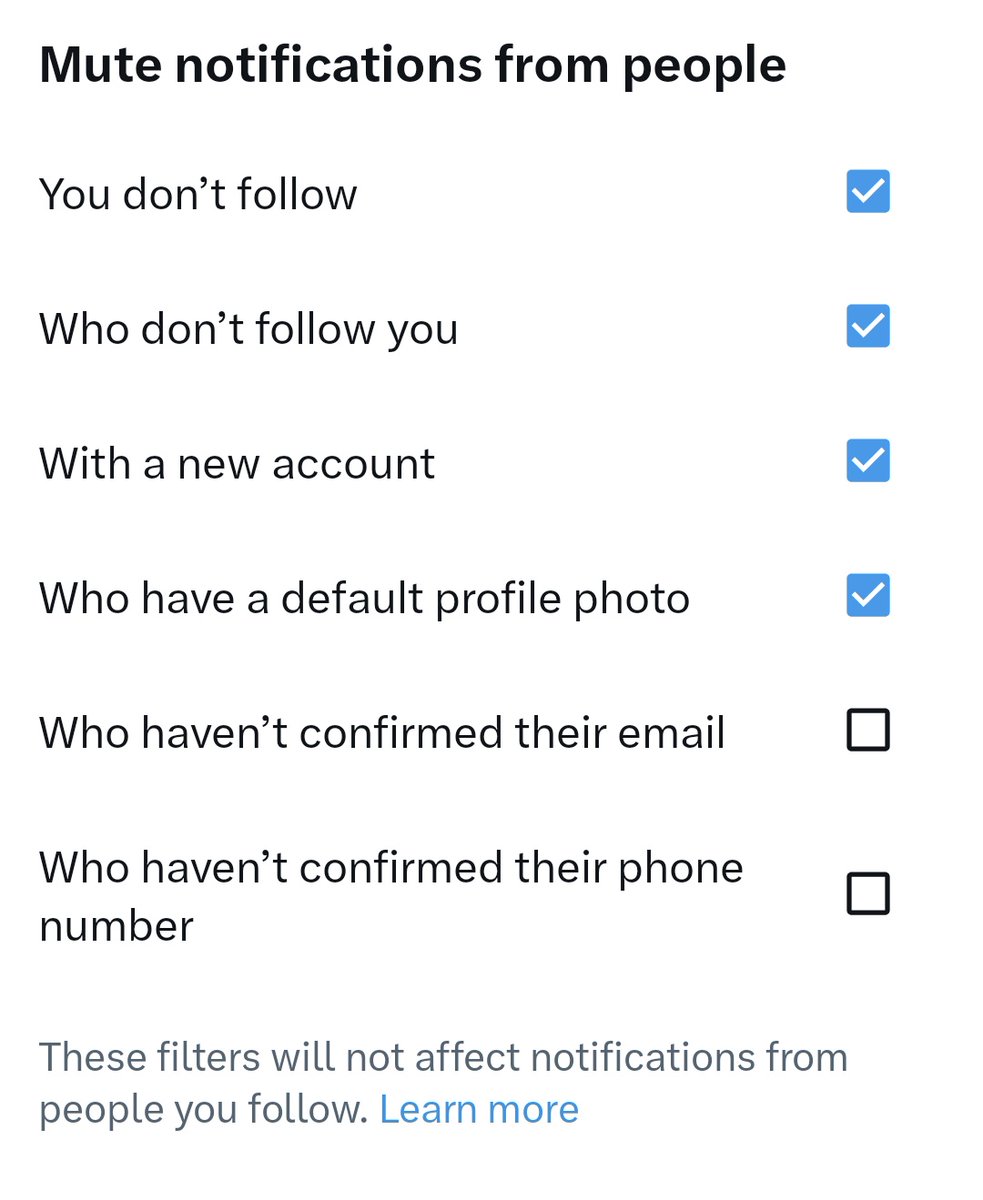
Hot tip for anybody who’s getting DDOSed by botswarm. Go to settings → privacy and safety → mute and block → muted notifications.

I have mine set so I only see follows and replies from mutuals. This is good practice in general once you get to a certain size

A Twitter/X post by user @deepfates, replying to @MoonL88537, says: "Right? My body tells me it's all just little colored lights on a screen but my brain screams MILLIONS OF DOLLARS." The post has 3 likes and 4 retweets.

This image displays settings to mute notifications from people, with four options currently selected (You don't follow, Who don't follow you, With a new account, Who have a default profile photo) and two options unchecked (Who haven't confirmed their email, Who haven't confirmed their phone number). The filters do not affect notifications from people you follow.

View original